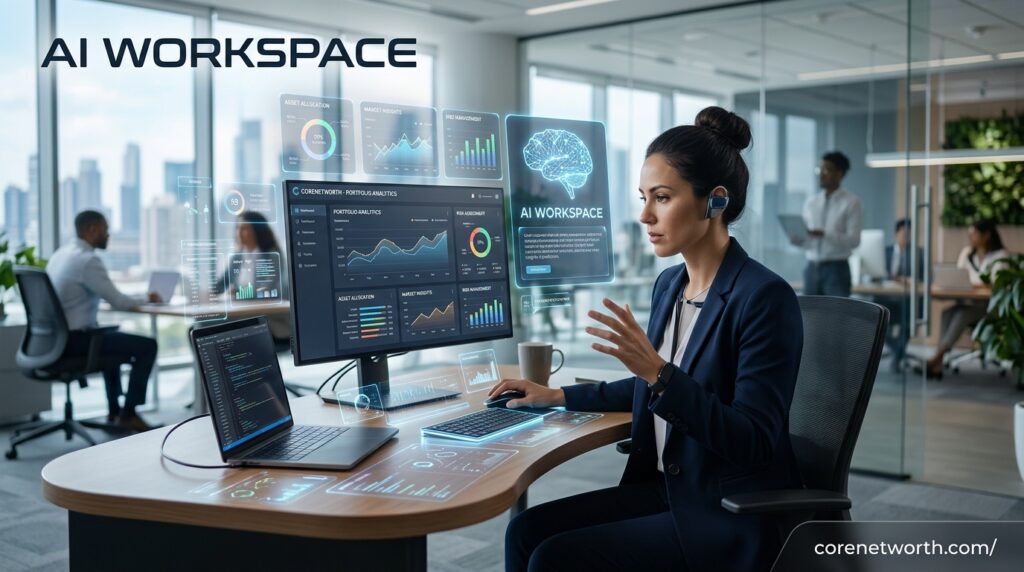



An AI Workspace brings your work, information, tasks, documents, and artificial intelligence tools into one connected environment. Instead of jumping between a project management app, notes app, chatbot, cloud storage, and automation tool, you can handle more of your daily work from one place.
That sounds simple. But there is a bigger change happening underneath. Modern workspaces are moving from tools that only store information to systems that can understand information, answer questions, create content, organize tasks, and sometimes complete work for you.
In 2026, the best platforms are going beyond basic AI writing features. They are adding AI agents, workflow automation, knowledge management, AI-powered search, integrations, meeting notes, and connected apps.
What Is an AI Workspace?
AI Workspace Definition
An AI Workspace is a digital work environment that combines traditional productivity features with artificial intelligence.
Think of it as a central place for your work. You might have documents, tasks, projects, notes, databases, calendars, conversations, and files there. The AI layer can then use that information to help you work faster.
For example, instead of searching through dozens of documents for a project update, you could ask:
“What changed in the marketing project this week?”
An AI-powered workspace may search the information available to it and provide a useful answer.
The important word here is context.
A normal chatbot may know what you tell it during a conversation. An AI workspace can be designed to work with the information already stored in your workspace and connected applications.
Modern platforms are also moving toward AI agents. Notion, for example, describes its AI features around agents, enterprise search, meeting notes, connected apps, and automated work.
How Is an AI Workspace Different From a Normal Workspace?
A traditional workspace mainly helps you store and organize work.
An AI Workspace can also help you understand and act on that work.
Here is a simple comparison:
| Feature | Traditional Workspace | AI Workspace |
|---|---|---|
| Store documents | Yes | Yes |
| Manage tasks | Yes | Yes |
| Team collaboration | Yes | Yes |
| Search information | Yes | AI-powered search |
| Write content | Manually | AI-assisted |
| Summarize information | Usually manual | AI-assisted |
| Automate tasks | Limited | Often available |
| AI agents | Rare | Increasingly common |
| Connected knowledge | Limited | Stronger context |
| Workflow assistance | Basic | AI-powered |
The difference isn’t that traditional productivity software suddenly became useless. Far from it.
The difference is that AI can sit on top of your existing work and help you do something with it.
How Does an AI Workspace Work?
An AI Workspace usually combines several layers.
First, there is your workspace data. This can include documents, tasks, notes, databases, project information, and files.
Next comes the AI layer. Depending on the platform, this may include a chatbot, AI assistant, AI search, generative AI, or AI agents.
Then there are integrations. These connect services such as calendars, communication platforms, cloud storage, code repositories, and other business applications.
Finally, automation connects everything together.
For example:
Customer feedback → AI analyzes it → identifies common issues → creates tasks → assigns them to a team member → updates the project dashboard.
That is where an AI workspace becomes much more interesting than a simple chatbot.
What Are the Key Features of an AI Workspace?
AI-Powered Search and Knowledge Management
One of the most useful features is AI-powered search.
Instead of searching for an exact keyword, you can ask a question in natural language. The system can potentially find relevant information from your workspace and connected sources.
This is particularly useful when a company has years of documents, meeting notes, project updates, and internal knowledge.
Good knowledge management also prevents useful information from disappearing inside forgotten folders.
AI Assistants and Agents
An AI assistant usually responds to your instructions.
An AI agent can go further.
Depending on the platform, an agent may be able to perform multiple steps, interact with workspace data, create or update content, and handle recurring tasks.
This is one of the biggest developments in workplace AI.
For example, you might create an agent that prepares a weekly project report. Instead of asking AI every Friday to start from scratch, the workflow can be structured around a recurring process.
Notion currently offers Notion Agent and Custom Agents for tasks and recurring workflows, showing how quickly this area is developing.
Task and Project Management
An AI workspace should not only generate text.
It should help you manage actual work.
That can include:
- Creating tasks
- Setting priorities
- Organizing projects
- Summarizing project updates
- Identifying overdue work
- Creating project plans
- Assigning tasks
- Tracking progress
This is where AI becomes useful for project management rather than just content creation.
Workflow Automation
Automation is another major feature.
Instead of repeatedly performing the same process, you can create a workflow that handles predictable steps.
For example:
New customer request → categorize request → summarize it → create task → notify team member.
The more repetitive the process, the more valuable automation can become.
Documents, Files and Notes
Documents remain central to most workspaces.
An AI layer can help summarize reports, improve writing, create drafts, extract information, or organize notes.
Meeting notes are another strong use case. AI can turn a long meeting into a summary and identify action items.
The goal isn’t to eliminate documents.
It is to make them easier to use.
Team Collaboration
An AI Workspace can also bring AI into team collaboration.
Instead of asking five people for the same project information, team members may be able to search the shared knowledge base or ask an AI assistant.
This can help remote teams, distributed companies, agencies, and businesses with large amounts of internal information.
Of course, access controls still matter. Team members should only receive information they are allowed to access.
Integrations and Connected Apps
No modern company works inside one application.
Teams use email, calendars, cloud storage, communication apps, project management tools, CRM systems, code repositories, and many other services.
That is why integrations are important.
The more useful applications your workspace can connect to, the more context AI may have available for your workflows.
What Are the Benefits of an AI Workspace?
Improved Productivity
The obvious benefit is productivity.
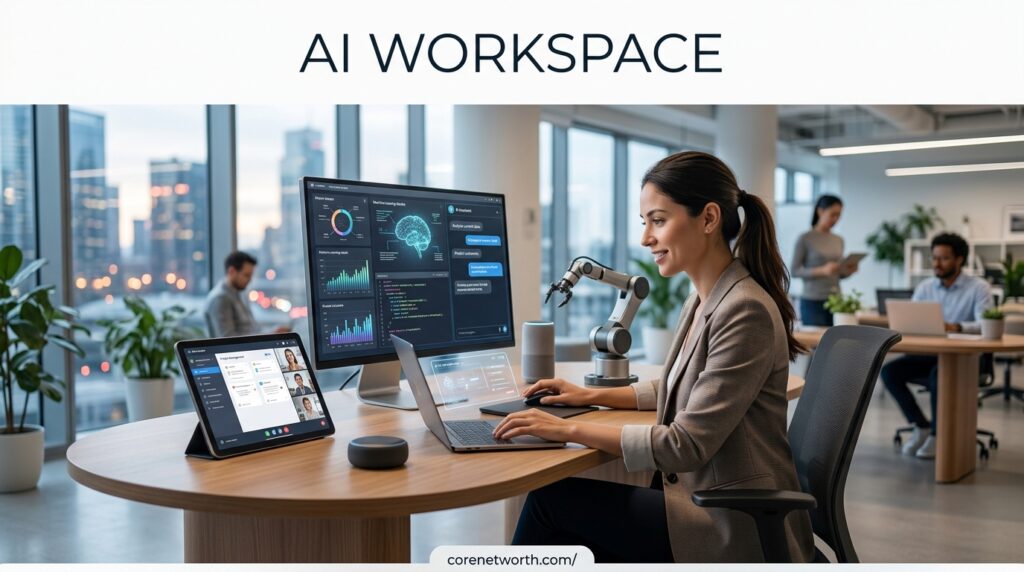
AI can reduce the time spent on repetitive tasks such as summarizing, drafting, searching, organizing, and creating first versions of documents.
But productivity isn’t just about doing more work.
It is also about spending less time on low-value work.
Less App Switching
Constantly switching between applications creates friction.
You might search Google Drive, check Slack, open a project management tool, find an old document, then return to your notes.
A connected AI workspace can bring more of that information together.
That can make everyday work feel much smoother.
Faster Workflows
An AI Workspace can shorten the distance between an idea and a finished task.
You can start with a simple request and use AI to create a draft, break it into tasks, organize the project, and prepare the next steps.
The human still makes the important decisions.
AI simply handles more of the busywork.
Better Knowledge Management
Businesses create huge amounts of information.
The problem isn’t always creating information.
Finding it later is the problem.
AI-powered knowledge management can make internal information easier to search, summarize, and understand.
This is especially valuable for companies with large knowledge bases.
Automated Repetitive Tasks
Repetition is one of the strongest reasons to use automation.
Weekly reports, task updates, meeting summaries, customer requests, content workflows, and internal notifications can often follow predictable patterns.
AI agents and automation can help reduce manual effort in those workflows.
Better Team Collaboration
A shared workspace gives teams one central location for information.
AI adds another layer by making that information easier to understand.
A new employee, for example, may be able to find answers faster without asking another team member to explain everything manually.
Best AI Workspace Tools in 2026
There is no single best platform for everyone. The right choice depends on what you actually need.
Notion AI
Notion has evolved from a notes and knowledge-management platform into a broader AI-powered workspace.
Its current AI capabilities include agents, AI meeting notes, enterprise search, connected applications, and AI assistance across pages, documents, tasks, and databases.
Best for: knowledge management, documents, databases, team collaboration, and flexible workflows.
Taskade
Taskade focuses strongly on AI-powered productivity, project management, agents, automation, and collaborative workspaces.
It is particularly interesting for people who want tasks, projects, AI assistance, and automation to work together.
Best for: AI agents, project management, productivity, and workflow automation.
Microsoft 365 Copilot
Microsoft’s AI strategy is closely connected with its existing productivity ecosystem.
For organizations already using Microsoft applications, an AI assistant inside that environment can make sense because employees already work with documents, email, meetings, spreadsheets, and presentations.
Best for: organizations heavily invested in Microsoft 365.
Google Workspace With Gemini
Google Workspace combines familiar productivity applications with Google’s AI capabilities.
For teams already using Gmail, Docs, Drive, Sheets, Meet, and related services, this approach can reduce the need to move everything to a completely new platform.
Best for: Google-based teams and organizations.
ClickUp AI
ClickUp is known primarily for project and work management, with AI features designed around tasks, documents, project information, and productivity.
Best for: project management and teams that want AI inside a work-management platform.
Coda AI
Coda combines documents, tables, structured information, and collaborative workflows.
Its AI features can be useful when teams want AI to work with information stored inside structured documents.
Best for: flexible documents, team workflows, and structured information.
ChatGPT
ChatGPT can also function as part of a broader work environment, particularly for teams using its business workspace capabilities.
ChatGPT Business provides organizations with a shared workspace, centralized billing, administrative controls, and business-oriented features.
Best for: general AI assistance, research, writing, analysis, and teams that want a dedicated AI environment.
Claude
Claude is another major AI assistant that can be useful for writing, analysis, research, coding, and knowledge-heavy work.
For some users, the appeal is straightforward: strong conversational AI without needing a complex project-management system.
Best for: writing, research, analysis, and knowledge work.
AI Workspace Comparison
The best option depends heavily on your workflow.
| Need | Good starting point |
|---|---|
| Team knowledge | Notion |
| Project management | ClickUp or Taskade |
| Microsoft environment | Microsoft 365 Copilot |
| Google environment | Google Workspace with Gemini |
| Flexible documents | Coda |
| General AI work | ChatGPT |
| Writing and analysis | Claude |
| AI agents and automation | Notion or Taskade |
This isn’t a permanent ranking. AI products change quickly, and features that are experimental today can become standard tomorrow.
Best AI Workspace for Teams
For teams, look beyond the AI model itself.
Check collaboration, permissions, administration, shared knowledge, integrations, and security.
A brilliant AI assistant is less useful if your team cannot safely connect it to the information it needs.
Best AI Workspace for Individuals
Individuals usually need simplicity.
If you’re a student, freelancer, creator, or solo business owner, you may not need complex enterprise controls.
Look for easy task management, notes, AI writing, research, file organization, and affordable access.
Best AI Workspace for Project Management
If projects and deadlines are the center of your work, choose a platform where AI is connected to tasks and project data.
Simply having an AI chatbot isn’t enough.
Best AI Workspace for Knowledge Management
For knowledge-heavy work, prioritize search, documents, databases, connected sources, permissions, and context.
Notion is particularly strong in this category because its AI features are deeply integrated with workspace content and connected applications.
Best AI Workspace for Automation
If automation is your priority, look for triggers, actions, agents, integrations, scheduling, and multi-step workflows.
The key question is:
Can the AI actually perform useful actions, or does it only generate suggestions?
That distinction matters.
Best Free AI Workspace
Free options can be useful for individuals who want to experiment before paying.
But “free” often means limited AI usage, fewer integrations, smaller storage, or restricted automation.
Always check the current plan before making a decision.
AI Workspace vs AI Chatbot: What’s the Difference?

An AI chatbot mainly gives you a conversational interface.
You ask a question.
It responds.
An AI Workspace can connect that intelligence to your actual work environment.
You might ask an AI workspace to summarize a project, find a document, create tasks, update a database, or prepare a report.
In simple terms:
Chatbot = conversation.
AI workspace = conversation + context + work + actions.
There is overlap, though. Modern AI assistants increasingly include projects, files, apps, agents, and other workspace features.
AI Workspace vs Notion: What’s the Difference?
This comparison is becoming less straightforward because Notion itself now positions its product as an AI workspace.
Traditional Notion was primarily associated with notes, documents, databases, wikis, and project organization.
Today, Notion’s AI capabilities include agents, enterprise search, meeting notes, research, connected-app search, and automation.
So the better question isn’t simply “AI workspace or Notion?”
It is:
Does Notion provide the AI, collaboration, knowledge management, and automation features your workflow requires?
For many teams, the answer may be yes.
AI Workspace vs Traditional Productivity Software
Traditional productivity software is still useful.
Calendars schedule meetings. Project tools manage tasks. Document editors create files. Cloud storage keeps information organized.
An AI workspace adds an intelligent layer over those functions.
The shift is from:
“Where did I save this?”
to:
“Find the information I need and explain it to me.”
And eventually:
“Use that information to complete the next step.”
That last stage is where AI agents become important.
Who Should Use an AI Workspace?
Businesses and Teams
Businesses can use AI workspaces to manage projects, documents, knowledge, meetings, and recurring workflows.
They can also help teams reduce duplicated work.
Freelancers and Creators
Freelancers can use an AI workspace to manage clients, content calendars, proposals, research, tasks, and documents.
Creators may also use AI for brainstorming, content planning, summaries, and organization.
Students and Knowledge Workers
Students and knowledge workers often deal with large amounts of information.
AI can help summarize notes, organize research, create study plans, and find information faster.
The important part is using AI as an assistant rather than blindly trusting every generated answer.
Developers and Marketers
Developers can use AI for coding assistance, documentation, research, and project organization.
Marketers can use it for content planning, campaign workflows, research, reporting, and customer insights.
How to Choose the Best AI Workspace
Check AI Capabilities
Don’t be impressed by an “AI-powered” label alone.
Ask what the AI can actually do.
Can it search your information? Can it summarize documents? Can it create tasks? Can it automate workflows? Can it use connected apps?
Those questions tell you much more.
Compare Integrations
Check whether the platform connects to the applications your team already uses.
Moving your entire workflow to a platform that cannot connect to your existing tools can create more problems than it solves.
Review Security and Privacy
Security should be a priority when AI can access company information.
Look for encryption, access controls, authentication, administrative tools, data policies, and information about model training.
For example, Notion says its AI products provide security controls and that customer data is not used to train its AI models under its stated contractual arrangements.
ChatGPT Business likewise states that OpenAI does not train on workspace data.
Always read the current provider policy before connecting sensitive information.
Consider Pricing
Don’t only compare the monthly subscription.
Check:
- AI usage limits
- Number of users
- Storage
- Automation limits
- Agent usage
- Premium integrations
- Administrative features
- Additional AI credits
A cheap plan can become expensive if your team quickly reaches its AI or automation limits.
Test the Workflow Before Committing
This is probably the most overlooked step.
Don’t buy a platform because its feature list looks impressive.
Take one real workflow from your day.
For example:
Meeting → notes → summary → tasks → assignment → follow-up.
Then test whether the platform makes that process genuinely easier.
If it does, you may have found the right tool.
Are AI Workspaces Safe and Private?
An AI workspace can be secure, but the answer depends on the provider and how your organization configures it.
Before uploading confidential information, check:
- Data retention
- Model training policies
- Encryption
- User permissions
- Admin controls
- Authentication
- Audit features
- Third-party integrations
- Data residency requirements
Also remember something basic but important: AI can make mistakes.
Even if the platform is secure, the information it generates can be inaccurate.
Sensitive business decisions should still involve human review.
What Is the Future of AI Workspaces in 2026?

The future is moving toward AI agents and action-based workflows.
The first generation of workplace AI mostly answered questions and generated text.
The next generation is expected to do more.
Instead of saying:
“Write a project update.”
You may say:
“Review this week’s project activity, identify delays, prepare an update, and create follow-up tasks.”
That is a very different workflow.
AI is also becoming more connected to existing business software. Rather than creating another isolated application, companies are adding AI directly into the tools people already use.
This means the future workspace may feel less like a collection of apps and more like one connected system.
But humans are not disappearing from the process.
Judgment, creativity, strategy, accountability, and decision-making still matter. AI can handle more of the repetitive work, but people remain responsible for deciding what should actually happen.
Frequently Asked Questions About AI Workspaces
What is an AI Workspace?
An AI Workspace is a smart digital environment that combines AI with tasks, documents, projects, search, and collaboration to help you work faster.
Is Google Workspace AI free?
Google Workspace AI features are not completely free; availability depends on your Google Workspace plan, while some AI features may be available through eligible plans or trials.
What are 7 types of AI?
The commonly discussed seven AI types include reactive machines, limited memory, theory of mind, self-aware AI, narrow AI, general AI, and super AI.
Can I build my own AI for free?
Yes, you can start building a basic AI for free using open-source models, free development tools, APIs with free tiers, and beginner-friendly AI platforms.
Conclusion
The AI Workspace is becoming more than another productivity buzzword. It represents a shift in how people interact with digital work.
Instead of opening one app for documents, another for tasks, another for communication, and another for AI, more platforms are bringing these experiences together.
The biggest advantage is context.
AI becomes much more useful when it understands the project you’re working on, the documents you’re using, the tasks your team has created, and the workflows that happen repeatedly.

Core Net Worth is a trusted source for celebrity net worth, biographies, career insights, and wealth analysis. We publish well-researched, fact-based content that helps readers understand the financial journeys, income sources, career achievements, and success stories of public figures. Our editorial approach prioritizes accuracy, transparency, and trustworthy reporting.
Leave a Reply